

IVPHUB
Smarter Assessments, Sharper Hiring and Skill Decisions
IVPHUB
Smarter Assessments, Sharper Hiring and Skill Decisions
Configure, distribute, and evaluate assessments in one system, without juggling spreadsheets and manual scoring.
Assessments
From Questions on Paper to Talent You Can Trust
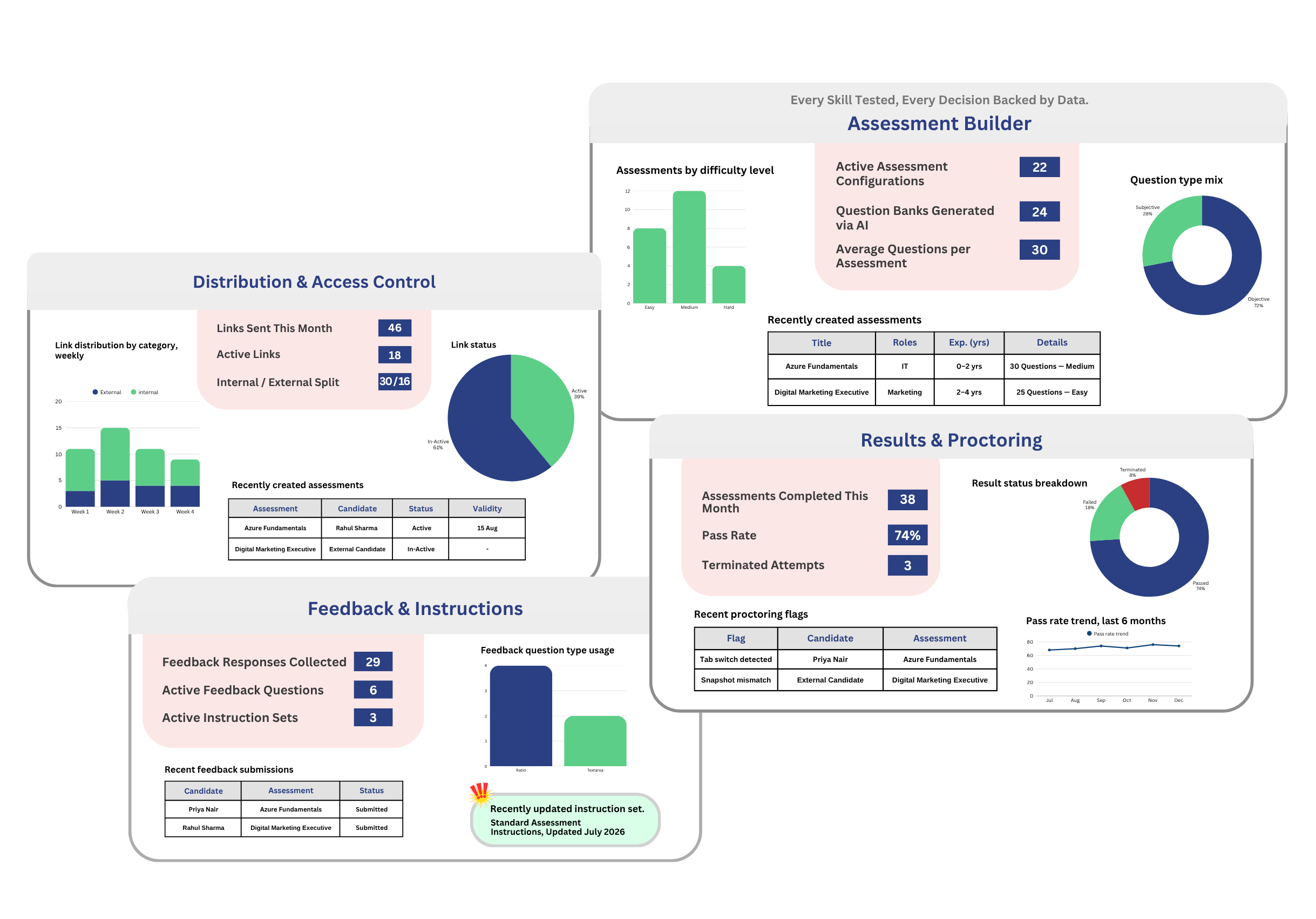
Assessment gives admins one system to configure role-based skill assessments, generate questions with AI, distribute them to candidates or employees, and review results, submitted answers, and proctoring activity, all in one place. Employees and interviewees get a simple, guided view to attempt what’s assigned to them and check their own outcomes.
Who Uses It?
Assessments module built for admins and employees.
Admin/Interviewer
Employee/Interviewee
What's Inside Assessments?
Assessment Builder
Distribution & Access Control
Results & Proctoring
Feedback & Instructions
Assessment Builder
Build the Right Test for Every Role
Set up an assessment by defining the industry, job role, experience band, and job description, then choose a mix of question types, from multiple choice and true/false to case studies and short answers, with difficulty and weightage assigned per type. Once configured, AI reads the job description and question setup to auto-generate a matching question bank, so you’re not writing every question from scratch.
- Configure by Role, Experience, and Difficulty
- AI-Generated Question Banks
- Flexible Question Types and Weightage
- Custom Passing Criteria by Experience Band
Distribution & Access Control

Send, Track, and Stay in Control
Share an assessment your way, send it to specific internal employees or external candidates by email, or generate a group link for broader distribution, each with its own validity window. Every link is logged, so you always know what’s active, who it was sent to, and when it expires, with the option to manually deactivate a link at any time.
- Individual and Group Link Distribution
- Internal and External Candidates
- Complete Link History and Validity Tracking

Results & Proctoring
Review Every Attempt with Confidence
Once an assessment is attempted, scores are calculated automatically against your configured passing criteria, with results marked Passed, Failed, or Terminated. Drill into any attempt to review the interviewee’s submitted answers or their proctoring activity log, including flags like tab switches or captured snapshots, giving you a complete, auditable record of every attempt.
- Automated Scoring Against Passing Criteria
- Submitted Answer Review
- Proctoring Activity Logs
Feedback & Instructions

Keep the Experience Consistent, Every Time
Maintain a reusable bank of post-assessment feedback questions to understand how candidates experienced the process, and review submitted feedback directly against each interviewee. Reusable instruction sets can be attached to any assessment, so every candidate sees clear, consistent guidance before they begin.
- Configurable Feedback Questions
- Feedback Review by Interviewee
- Reusable Instruction Sets
Start assessing talent smarter with IVPHUB.